You have seen those videos where a hand draws a cartoon on a whiteboard while someone explains an idea. That is whiteboard animation, and Doodly is one of the best-known tools for making it. You drag in images, text and a drawing hand, add a voiceover, and the software animates it all for you.
If you are a small business owner, teacher, coach or marketer, that sounds great. Explainer videos get attention, and you don’t want to pay an agency thousands of dollars for one. The real question is whether Doodly is worth the money in 2026, and the answer has gotten more complicated, because Doodly’s pricing now lives inside a bigger software bundle.
I dug through Doodly’s own site, its pricing pages, and reviews from real users on Capterra and Software Advice to write this Doodly review. I have also used it myself, so think of this as a friend who did a lot of homework for you. I will flag the places where sources disagree, because with Doodly there are a few.
My quick take: Doodly is easy to learn and does whiteboard-style explainer videos well. It’s not cheap, the upsells annoy people, and it only does one style of video. If that style fits your brand, it’s a solid pick. If it doesn’t, skip it.
What is Doodly? Overview About the Software
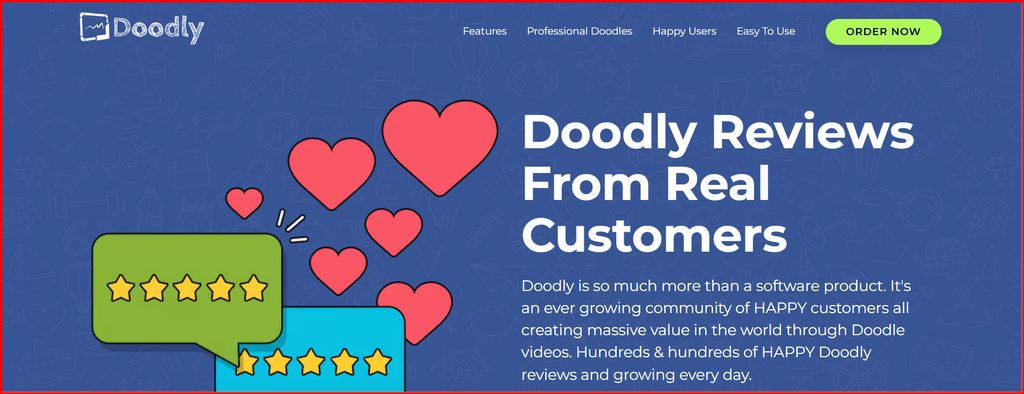
Doodly is video animation software from Voomly LLC. It’s built for making doodle-style explainer videos, where a hand appears on screen and draws characters, props and text as the story goes on. Besides the classic whiteboard look, it also does blackboard, glassboard and green screen styles.
You use it like a simple slideshow tool. You build one scene at a time, drop in images and text, choose how each item gets drawn, then add audio. When you are done you export an MP4. It runs as a desktop program on Windows and Mac, not in your web browser.
Doodly’s own site says it’s meant for YouTube marketers, teachers and trainers, Facebook advertisers, people making sales videos and product videos for online stores, and anyone making fun personal videos. It also claims you don’t need any design or tech skills. Take the “20x more engaging” claims on the page with a grain of salt, because those are the company’s marketing numbers, not independent research.
Here is the part that trips people up. Doodly used to be sold on its own. It’s now part of Voomly Cloud, a bundle that includes Doodly and several other tools, including Toonly, the company’s cartoon video maker. That changes how you think about the price, and I will cover it in the pricing section.
Best for: short whiteboard explainer videos, lessons, product explainers and simple sales videos.
Not great for: polished brand films, live-action footage or videos that need modern, realistic visuals.
Doodly Software: Core Features Explanation
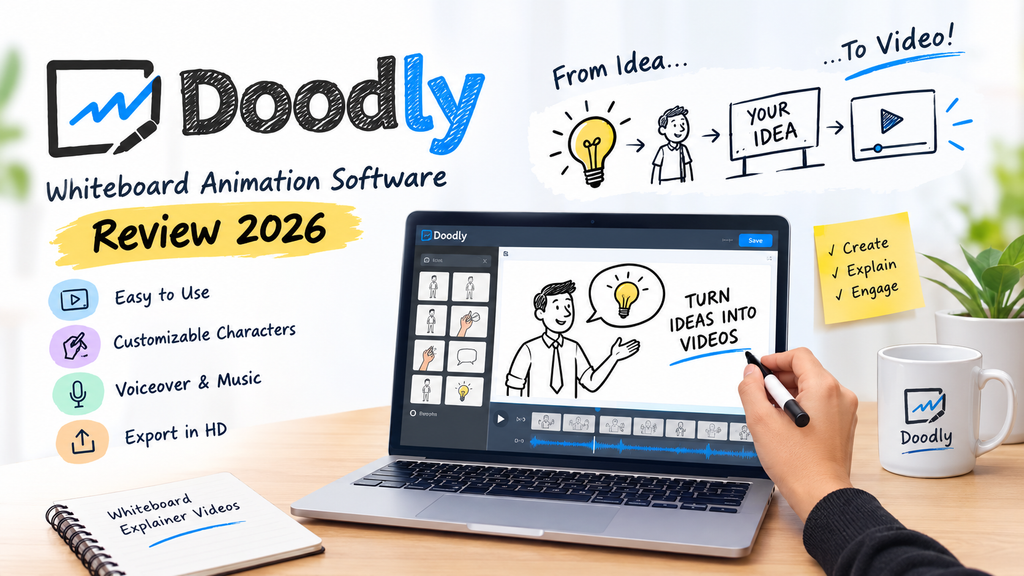
Here is what you get, based on Doodly’s site and what reviewers say.
Drawing hands and board styles
Doodly lists dozens of drawing hands, male and female, in different skin tones and sizes. You can pick whiteboard, blackboard, glassboard or green screen. Several Capterra reviewers named the drawing hand as their favorite part. It’s the thing that makes a Doodly video look like a Doodly video.
Custom draw paths (Smart Draw)
This one matters if you want to use your own images. Smart Draw lets you set the path the hand follows when it draws a PNG or SVG you uploaded. You get more control over how a drawing builds up on screen.
Characters and People Builder
Doodly’s site lists 200 characters with 20 poses each, plus a People Builder tool for making your own custom characters from a huge number of combinations. Capterra’s listing shows bigger libraries on higher plans, which I put in the table below.
Backgrounds, props and fonts
There are 20 scenes on Doodly’s own page, plus hundreds of props and thousands of doodle-style images. You can upload your own PNG and JPEG files and your own fonts.
Voiceover and music
You can record a voiceover inside Doodly or upload audio. Royalty-free music is built in, and you drag tracks onto the timeline. Talkia, an AI voice tool, comes with the Voomly bundle for text-to-speech style voiceovers, though it’s a separate product.
Export
Doodly exports MP4 video from 480p up to 1080p HD, plus custom sizes. Frame rates run from 24 to 60 per second. One review claims 4K on the top plan, but Doodly’s own page and iTechGuides both say 1080p, so I would trust those.
Plan Comparison from Capterra
| Library | Standard | Enterprise |
| Character images | 1,164 | 3,959 |
| Prop images | 1,620 | 3,341 |
| Music tracks | 150 | 250 |
| Video templates | 20 | 40 |
| Scene templates | 84 | 84 |
| Fonts | 35 | 70 |
| Premium support | No | Yes |
Capterra’s counts are much bigger than the numbers on Doodly’s own page, so the two are probably counting differently. If the exact number of images matters to you, ask before you buy.
Doodly Pricing: Complete Details
Pricing is where most people get confused, so let’s slow down. Different sites list different numbers, because Doodly changed how it sells. I went with Voomly’s own pricing page as the main source, and the Capterra and iTechGuides listings match it.
| Plan | Monthly | Yearly | What it includes |
| Voomly Cloud | $49 a month | $490 a year (about $41 a month) | Standard Doodly and Toonly, plus Talkia, People Builder, Pyks and Voomly. 7TB cloud storage |
| Voomly Pro | $79 a month | $790 a year (about $66 a month) | Enterprise Doodly and Toonly, plus the same extras. 10TB storage |
| Voomly Plus | $19 a month | $190 a year | Does not include Doodly |
| Voomly Basic | $9 a month | None | Does not include Doodly |
| Voomly Light | Free | None | Does not include Doodly |
So to get Doodly, you need Voomly Cloud or Pro. Cloud gives you Standard Doodly, and Pro gives you the Enterprise version with the bigger libraries and premium support.
Free trial and refunds. Voomly advertises a 14-day free trial, and iTechGuides says a credit card is required. The pricing page also promises a full refund if you cancel in the first 30 days. Nobody I found had trouble with that in the reviews, though one Capterra reviewer said they never asked for a refund. Pexo’s review reports refund frustrations, but Pexo sells a rival product, so treat that one carefully.
Old prices you will still see. Some older reviews list $39 or $69 a month, plus a $20 to $29 “Rainbow” add-on for color images. Those look like older plans. Capterra reviewers still complain that color assets, extra characters and fonts cost extra, so ask what’s included before you pay.
The $67 banner. Doodly’s site shows a banner calling $468 a year the normal price and $67 a “New Year” deal. It doesn’t say what the $67 covers, and I couldn’t confirm it. If you see a deal that cheap, read the fine print at checkout.
Is it worth the price? At about $41 a month on the yearly plan, you are paying for a bundle. That’s fair if you would use both Doodly and Toonly. If you only want whiteboard videos, a reviewer on Software Advice said it’s “overpriced for the market compared to others.”
Doodly pros and cons
Pros of Using Doodly Software
• Easy to learn. Reviewers call the drag-and-drop editor intuitive, and one said it’s “actually fun to use.”
• The drawing hand effect looks good and comes in lots of styles.
• Custom draw paths let you control how your own images get drawn.
• Four board styles: whiteboard, blackboard, glassboard and green screen.
• Big character and prop libraries, especially on the Enterprise plan.
• Unlimited videos, with MP4 export up to 1080p.
• Record voiceover inside the app, or upload your own audio.
• Works on multiple computers.
• Some reviewers say it keeps getting updates without forcing a new purchase.
Cons of Using Doodly Software
• Upsells. This is the number one complaint. One reviewer wrote, “Beyond basic characters and fonts, everything is an upgrade.”
• Price. You now buy a bundle, from $49 a month, and some reviewers call it expensive.
• One look only. It does doodle-style videos and nothing else.
• Template quality. A reviewer said it doesn’t offer “strong templates” to make videos look professional.
• Editing gaps. Reviewers mention no audio trimming or volume control and no timeline markers.
• Slow rendering, reported by several users even on strong computers.
• Support. The average customer service score is 3.9 out of 5, and one reviewer called it limited.
• Desktop only, and iTechGuides notes it needs an internet connection and stores projects in the cloud.
• No automatic subtitles or AI scriptwriting that I could find.
One caution on sources. Pexo’s Doodly review lists extra cons like “no AI features” and scores Doodly 6.5 out of 10. Pexo sells a competing tool and lists itself as the top alternative, so I only used points that other reviewers also make.
What Reviewers and Experts Say
Since I haven’t used it myself, here’s what the people who rate software for a living, and the people who actually use it, have said.
| Source | Score | What stands out |
| Capterra (55 user reviews) | 4.2 out of 5 | Easy to use (4.1), features scored lowest (3.8), 60% likely to recommend |
| Software Advice (55 user reviews) | 4.2 out of 5 | 45% gave five stars, 36% four, 11% three, 7% two, none gave one star |
| iTechGuides editors | 8.0 out of 10 | Ranked 12th of 26 whiteboard animation tools. Praised for large libraries and unlimited videos |
| Pexo editors | 6.5 out of 10 | Called it a “competent niche tool” but hard to recommend over rivals. Pexo sells a competing product |
What the editors say. iTechGuides calls Doodly a tool for “traditional doodle-style production rather than general video editing.” That is a fair way to put it. It’s good at one thing. The Pexo review lands in the same place, calling it a competent niche tool, but remember that source has a reason to nudge you toward its own product.
What users say. Reviews are mostly warm. People like how fast they can get started. The complaints cluster around money and polish, not whether the tool works. A few quotes that sum it up:
• “Doodly is highly intuitive, but perhaps its best feature is that it is actually fun to use.”
• “I have seen it grow and improve without creating a completely different product and requesting a new purchase.”
• “Beyond basic characters and fonts, everything is an upgrade.”
• “Doodly is a page by page animation tool – the video output cannot show all the designs zoomed out in the end.”
That last point is a real limit. If you want a big zoom-out shot at the end of a video, like a classic mind map, Doodly doesn’t do it the way a tool like VideoScribe does.
One detail worth knowing: Capterra says only 60% of reviewers would recommend Doodly. That’s lower than the 4.2 star score suggests, and it fits the pattern. People like the tool and feel mixed about what it costs.
Who Should Buy Doodly (and Who Should Skip It)
Doodly makes sense if you:
• Want simple whiteboard or blackboard explainer videos
• Teach, coach or train, and need lesson or course videos
• Run a small business and want product or service explainers without hiring an animator
• Make sales videos or short social ads
• Would also use Toonly, since both come in the same Voomly Cloud plan
• Like installing software on your own computer
Skip it if you:
• Want a modern, polished look for a brand film (see CGI software for beginners)
• Need a free plan or a tool that runs in the browser
• Hate surprise add-ons and want one clear price
• Make long videos with lots of editing, since reviewers report slow rendering
• Need big zoom-out shots, auto subtitles or AI scriptwriting
• Only have a small budget and just need one or two videos
If you only need a single video, think hard before you subscribe. A monthly plan can work for that, since you can cancel after you finish, but check the refund and renewal terms before you start.
Doodly Alternatives: Other Similar Software Available Online
If Doodly doesn’t feel right, here are the tools people compare it to. You can also browse our list of the best animation software for beginners.
| Tool | Style | Price I found |
| Doodly | Whiteboard and doodle drawing | From $49 a month (Voomly Cloud) |
| Toonly | Cartoon characters | In the same Voomly Cloud plan |
| Vyond | Business animation | Roughly $58 to $99 a month, depending on the source |
| VideoScribe | Whiteboard-style, with zoom-out shots | Subscription (check the site) |
| Adobe Express | Templates and quick video edits | From $4.99 per user a month, with a free version |
| Powtoon and Animaker | Presentation and mixed animation | No public starting price found |
Some notes on this table. The Vyond price comes from two sites that disagree, so check Vyond directly. The Adobe Express figure comes from Capterra’s alternatives list. I couldn’t confirm VideoScribe’s current price, but Capterra reviewers who used both said Doodly was cheaper than a VideoScribe subscription.
Doodly vs Toonly
This is the one people ask about most, because the same company makes both and they sit in the same plan. For a full breakdown, read our Toonly vs Doodly comparison.
- Doodly draws things on screen with a hand, so it feels like a lesson or a sketch.
- Toonly drops cartoon characters into scenes and animates them, so it feels like a short cartoon.
- Pick Doodly for teaching and explaining.
- Pick Toonly if you want characters talking to the camera.
- Since Voomly Cloud covers both, you can try each and see which one fits.
How to Try Doodly Without Wasting Money
1. Start the 14-day free trial on Voomly’s pricing page. A card is reportedly required, so check before you enter one.
2. Choose Voomly Cloud, the cheapest plan that includes Doodly.
3. Make one real video from a script you would actually use, about 60 seconds long.
4. Check what is locked. Look for color assets, extra characters and fonts, and see whether you need an add-on.
5. Export at 1080p and watch it on your phone.
6. Check the render time. Reviewers say it can be slow.
7. Put a reminder on your calendar for day 25. If it isn’t right, cancel before the 30-day refund window ends, and save your receipt.
My Take: Is Doodly Software Worth It?
Here is where I land after going through everything. Doodly is a good, honest tool for one job. If you want a hand-drawn explainer video and you don’t want to learn real animation software, it gets you there fast, and users love how easy it is.
The problems are about money and polish. The price is now a bundle, the extras can add up, and the videos look like whiteboard videos, because that is all it makes. If your audience expects slick, modern visuals, they will notice.
So here is how I would decide:
• Teacher, coach or trainer: Probably yes. The style fits lessons.
• Small business owner with one explainer to make: Maybe. Try the free trial and cancel inside the refund window if it doesn’t click.
• Marketer who needs lots of varied videos: Probably no. You will outgrow the single style.
• Anyone who wants Toonly too: Yes, because Voomly Cloud gets you both.
My rating: 3.5 out of 5. Easy and fun for simple whiteboard videos, held back by one style, upsells and a confusing price.