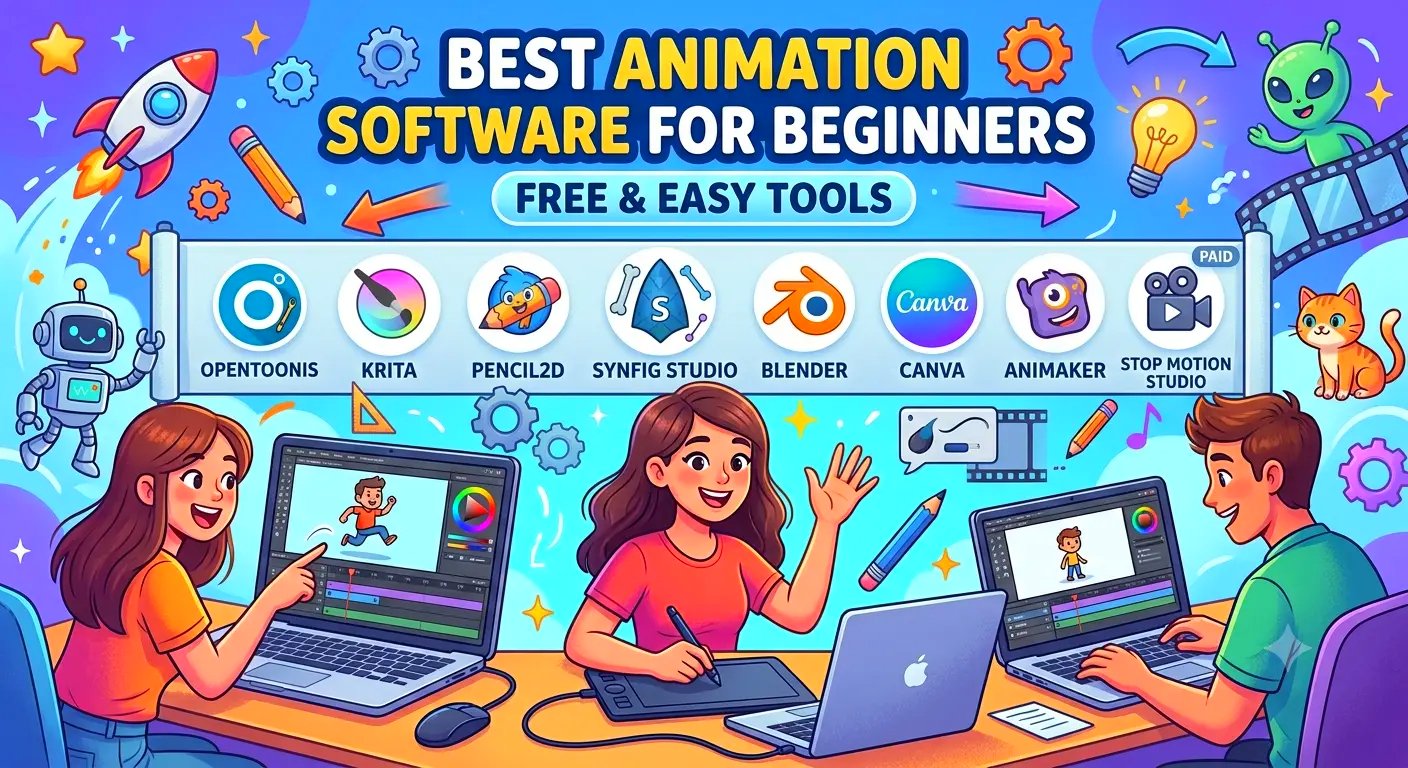
Animation can look intimidating when you watch professionals create polished movies, game characters, or YouTube videos. But you don’t need a powerful studio setup or years of experience to get started.
There are plenty of free animation software for beginners that let you create simple 2D animations, motion graphics, cartoons, explainer videos, & even basic 3D projects without spending a fortune.
The tricky part is choosing the right one. Some programs are incredibly easy to learn but have limited features. Others are packed with professional tools that beginners may find overwhelming. And then there are apps that look simple at first but quickly become expensive once you need additional features.
So, what is the best animation software for beginners?
There is not one answer for everyone. The right choice depends on what you want to animate, how much time you want to spend learning, and whether you are looking for something completely free or don’t mind paying for advanced features later.
Here is a practical look at some of the easiest & most useful options for getting started.
Best Animation Software for Beginners at a Glance
| Software | Best For | Price | Difficulty | 2D | 3D |
| Pencil2D | Basic 2D animation | Free | Easy | Yes | No |
| Krita | Digital drawing & animation | Free | Easy–Medium | Yes | No |
| OpenToonz | Traditional 2D animation | Free | Medium | Yes | No |
| Blender | 3D animation | Free | Medium–Hard | Yes | Yes |
| Adobe Animate | Professional 2D animation | Paid | Medium | Yes | No |
| Canva | Simple animated content | Free/Paid | Very Easy | Yes | No |
| Animaker | Explainer & presentation videos | Free/Paid | Very Easy | Yes | No |
| Stop Motion Studio | Stop-motion animation | Free/Paid | Very Easy | Yes | No |
1. Pencil2D – One of the Easiest Places to Start
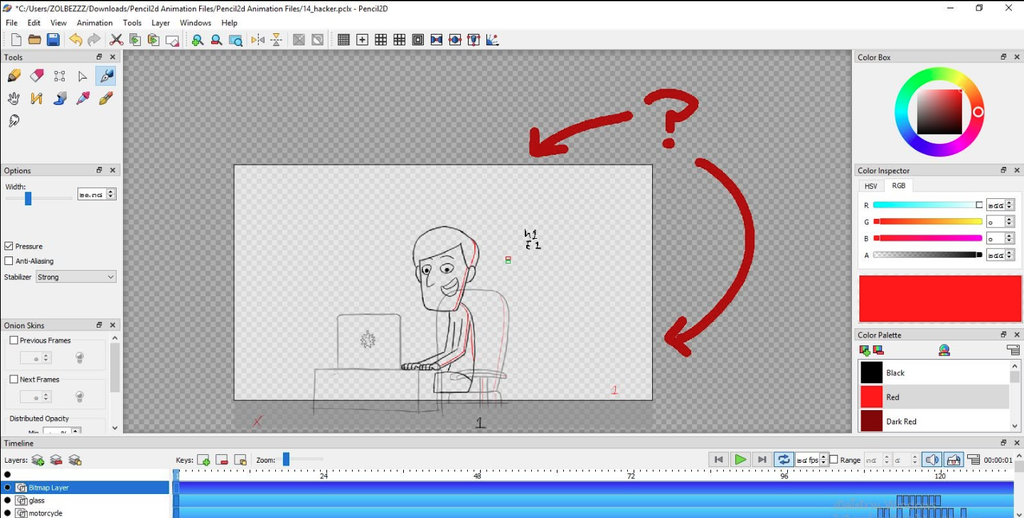
If you have never animated anything before & simply want to understand how animation works, Pencil2D is a great starting point. It is free, open-source software designed primarily for traditional hand-drawn 2D animation. The interface isn’t overloaded with complicated tools, which makes it less intimidating than many professional animation programs.
You can draw one frame, create another & gradually build your animation frame by frame. That is exactly why Pencil2D works so well as simple animation software.
Pros
- Completely free
- Simple interface
- Lightweight
- Good for traditional 2D animation
- Easy for beginners to understand
- Works well on less powerful computers
Cons
- Limited advanced features
- Not designed for 3D animation
- Professional workflows can feel restrictive
Best for: Students, hobbyists, first-time animators, and anyone who wants basic 2D animation without a complicated interface.
If your goal is simply to learn the fundamentals, this is one of the best beginner animation software options to try first.
2. Krita – Great for Artists Who Want to Animate
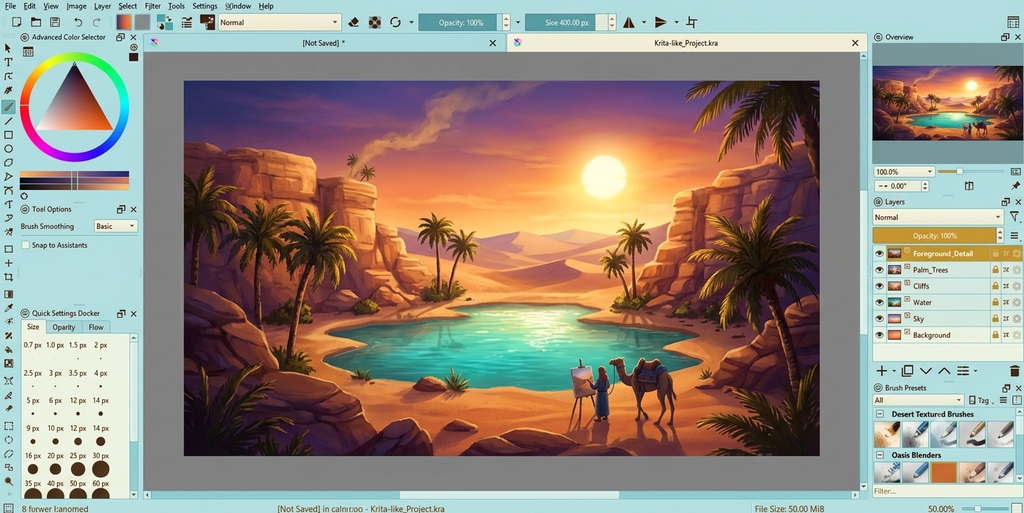
Krita is better known as a digital painting application, but it also includes animation features. That makes it particularly interesting for people who already enjoy drawing digitally. The animation workspace lets you create frame-by-frame animations while using Krita’s extensive drawing & brush tools. You can sketch characters, create backgrounds & animate them within the same application.
For someone looking for digital animation software for beginners, Krita offers a nice middle ground between a basic animation program and a professional illustration application.
Pros
- Free & open source
- Excellent drawing tools
- Frame-by-frame animation
- Huge brush selection
- Good for character sketches & illustrations
Cons
- Animation tools are not as beginner-friendly as dedicated animation apps
- Can feel overwhelming as you explore more features
- Not suitable for 3D animation
Best for: Digital artists, illustrators, comic artists & beginners interested in hand-drawn animation.
3. Blender – Best Free Option for Learning 3D Animation
Blender is a completely different beast. It is free, open-source and powerful enough for professional 3D modeling, animation, rendering, visual effects & game development.
So why recommend it to beginners?
Because if you eventually want to learn 3D animation, Blender gives you an enormous amount of room to grow without requiring you to switch software later.
The catch is that Blender is not the easiest animation program on this list. There is a lot to learn. You will encounter modeling, materials, lighting, rigging, keyframes, cameras, rendering & many other concepts. At first, the interface can feel like too much.
But once you get past the initial learning curve, Blender becomes incredibly capable.
Pros
- Completely free
- Powerful 3D tools
- 2D animation support through Grease Pencil
- Large online community
- Thousands of tutorials available
- Suitable for advanced projects
Cons
- Steeper learning curve
- Interface can overwhelm new users
- Requires more computer resources than lightweight 2D programs
Best for: Beginners who specifically want to learn 3D animation & don’t mind investing time in learning.
For people searching for the best computer animation software for beginners, Blender is worth considering if 3D is your goal.
4. Adobe Animate – A More Professional Route
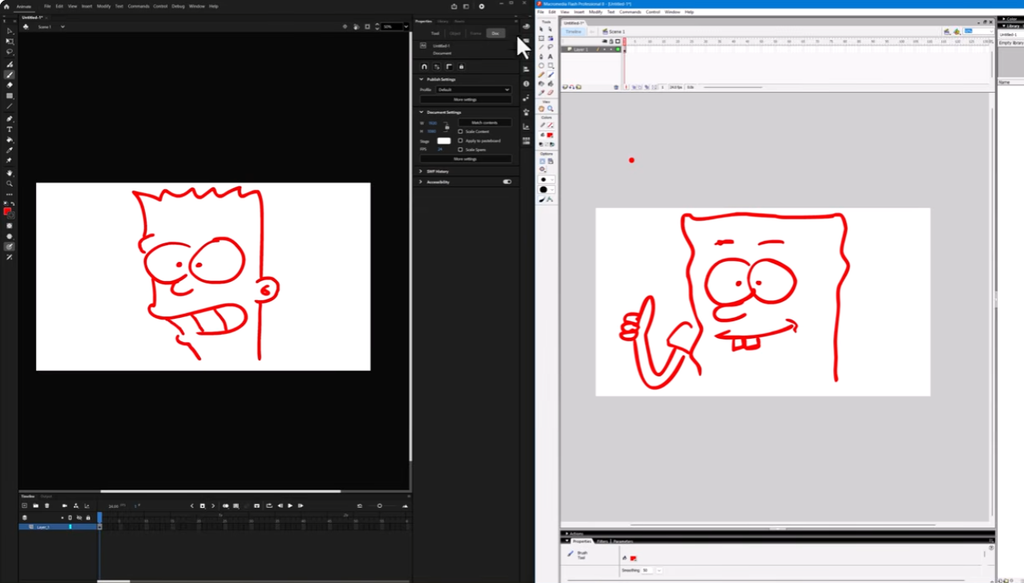
Adobe Animate is aimed at users who want to create professional-quality 2D animations, interactive content, cartoons, advertisements & web animations. It is not free, but it offers a more complete professional workflow than many beginner-focused tools. The timeline-based interface makes it possible to work with keyframes, symbols, layers, motion & character animation without drawing every single frame manually.
The downside is obvious: cost. For someone experimenting with animation for the first time, paying for software may not make sense. But if you are serious about eventually doing animation professionally, Adobe Animate can be a useful step up.
Pros
- Professional animation tools
- Excellent timeline workflow
- Good for 2D character animation
- Strong Adobe ecosystem
- Suitable for commercial projects
Cons
- Subscription required
- More complicated than basic animation tools
- Can be unnecessary for casual users
Best for: Beginners who want to eventually move toward professional 2D animation.
5. Canva – Probably the Simplest Option for Beginners
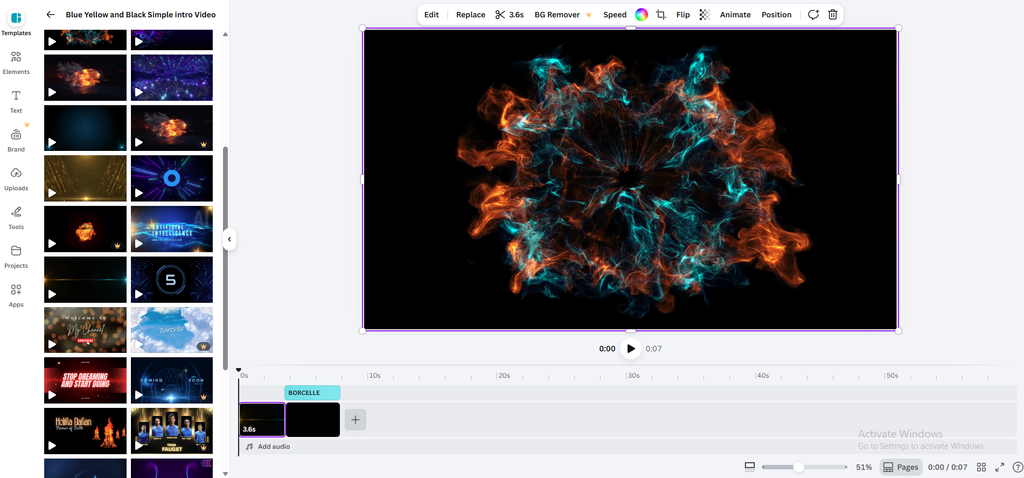
Not everyone wants to become an animator. Sometimes you just want to make a social media video, presentation, animated graphic, YouTube intro, or simple promotional video. That is where Canva makes sense. Its drag-and-drop interface is much easier than traditional animation software. You can animate text, images, shapes, illustrations & other elements without understanding complicated timelines or keyframes.
For this reason, Canva is one of the good animation programs for beginners who care more about creating something quickly than learning traditional animation techniques.
Pros
- Extremely easy to use
- Browser-based
- Templates make starting fast
- Free plan available
- Excellent for social media content
- No animation experience required
Cons
- Limited compared with dedicated animation software
- Not designed for traditional frame-by-frame animation
- Many assets and features require a paid plan
Best for: Social media posts, presentations, marketing videos, simple animated graphics & complete beginners.
If your definition of animation is “make something move and look good,” Canva may be all you need.
6. Animaker – Easy Animated Videos Without Drawing
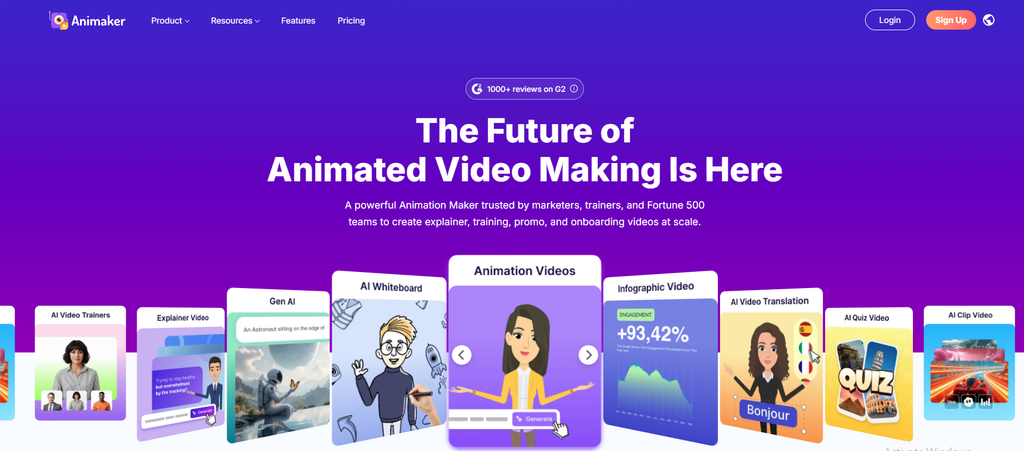
Animaker takes a different approach. Instead of requiring you to draw everything yourself, it provides characters, backgrounds, objects, animations & templates that you can combine to create videos.
This makes it particularly useful for explainer videos, educational content, presentations & business videos. You do not necessarily need traditional animation skills. That makes it one of the easy animation programs for people who want results quickly.
Pros
- Beginner-friendly
- Drag-and-drop interface
- Large collection of templates
- Useful character library
- Good for explainer videos
Cons
- Free version has limitations
- Less control than professional animation software
- Better suited to animated videos than traditional animation
Best for: Teachers, small businesses, marketers, YouTubers & beginners creating explainer videos.
7. Stop Motion Studio – Great for Stop-Motion Beginners
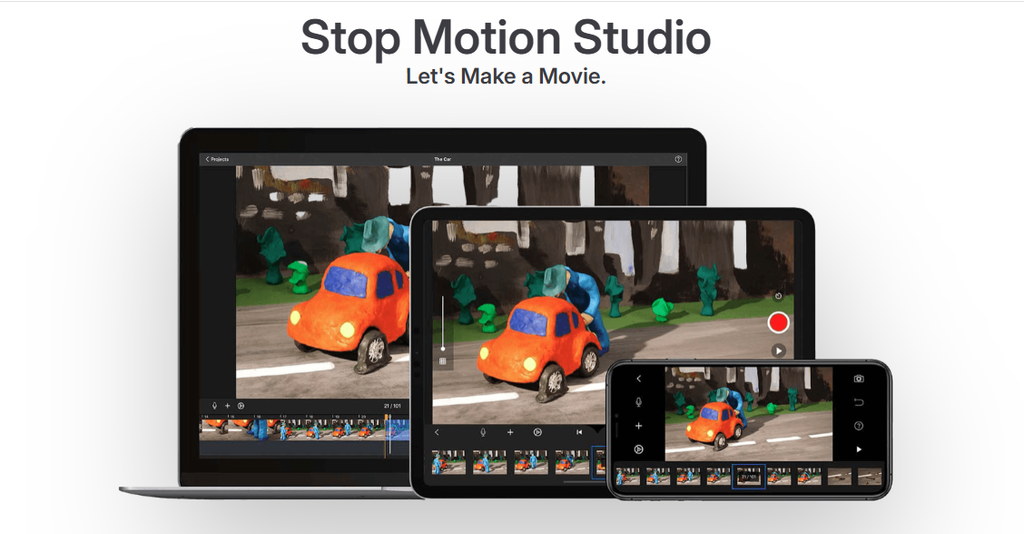
Want to animate LEGO figures, toys, clay models, drawings, or objects around your house? Stop Motion Studio is worth checking out.
Instead of drawing digitally, you take a series of photographs while moving an object slightly between each shot. The software combines those images into an animation.
It’s a surprisingly fun way to understand one of animation’s most basic principles: movement is created by showing a sequence of slightly different images quickly.
Pros
- Very easy to understand
- Great for kids & beginners
- Excellent for stop-motion projects
- Works with cameras & mobile devices
- Fun way to learn animation principles
Cons
- Primarily focused on stop motion
- Not suitable for conventional 2D or 3D animation
- Advanced projects can require additional equipment
Best for: Kids, students, hobbyists, classroom projects & anyone interested in stop-motion.
Free vs Paid Animation Software: Which Should You Choose?
You do not necessarily need to pay for animation software when you are starting. In fact, I would recommend learning the basics with a free tool before spending money on a professional application.
| If you want to… | Consider |
| Learn hand-drawn animation | Pencil2D |
| Draw & animate | Krita |
| Learn 3D animation | Blender |
| Create professional 2D animation | Adobe Animate |
| Make simple animated graphics | Canva |
| Create explainer videos | Animaker |
| Make stop-motion videos | Stop Motion Studio |
Free software can be surprisingly capable. The bigger question is whether it gives you the tools you actually need.
For example, Blender is free but may be unnecessarily complicated if all you want to create is an animated Instagram post.
On the other hand, Canva is extremely easy but won’t replace Blender if your goal is to create a fully modeled 3D character.
What Should Beginners Look For in Animation Software?
Before choosing your software, think about what you are truly trying to create.
1. Ease of use
The best beginner software should not require you to spend several weeks just understanding the interface. Always look for clear menus, accessible tutorials and such a workflow that makes sense.
2. Type of animation
This is very important. Ask yourself, am I interested in:
- 2D cartoons?
- Frame-by-frame animation?
- Motion graphics?
- Explainer videos?
- Stop motion?
- 3D animation?
- Character animation?
Because different software is built for different purposes.
3. Your computer or device
Some computer animation programs for beginners can run smoothly on an ordinary laptop or device, while there are some 3D software that can demand considerably more processing power.
It is recommended that if you are using an older laptop, starting with lightweight 2D software may be a much better experience.
4. Learning resources
A program can have hundreds of features, but they would not help much if you cannot figure out how to use them. Always look for software with active communities, tutorials, documentation & beginner courses.
5. Cost
Do not look only at the advertised price. Check whether the software has:
- Monthly subscriptions
- Annual plans
- Export restrictions
- Watermarks
- Paid templates
- Premium assets
- Additional plugins
This matters particularly when you are comparing animation tools sloth checking costs or trying to decide whether a free tool is actually enough for your project.
Also Read – Toonly vs. Doodly: Which Animation Software Is Right for You in 2026?
Which Animation Software is Best for Different Beginners?
There is no universal winner. Someone making YouTube cartoons needs different tools from someone creating 3D game characters. But I have some suggestions:
For someone who has never animated before
Start with Pencil2D or Canva. They let you experiment without throwing a huge number of professional features at you.
For digital artists
Krita is a natural choice because its drawing tools are already a major part of the experience.
For future 3D animators
Go with Blender. It’s harder to learn, but you would not outgrow it quickly.
For professional 2D animation
Adobe Animate is worth considering if you are comfortable paying for software.
For explainer videos
Animaker is easier than traditional animation software & gets you to a finished video quickly.
For stop motion
Stop Motion Studio is the obvious type of tool to explore.
Pros and Cons of Using Free Animation Software
Let’s have a quick look over the pros & cons:
Pros
- No major upfront investment
- Easy way to experiment
- Plenty of capable open-source options
- Good for learning fundamentals
- You can switch to paid software later
Cons
- Some free programs have limited features
- Support may be limited
- Advanced workflows can be harder
- Some free tools are not regularly updated
- Export options can sometimes be restricted
The important thing is not to confuse free with bad. Blender, for example, is free but is used for extremely sophisticated work.
What is the Best Animation Software for Beginners?
If you are looking for the best animation programs for beginners, I would narrow the choice down based on your goal rather than choosing one universal winner.
- Pencil2D is a strong starting point for traditional 2D animation.
- Krita makes more sense for artists who want drawing & animation together.
- Blender is the one to explore if you are serious about learning 3D.
- Canva is arguably the easiest route for simple animated content.
- Animaker is useful when you want to create explainer-style videos without drawing everything yourself.
- And Adobe Animate is worth considering when you want a more professional 2D workflow.
So if you are searching for the best software for beginner animation, start by asking yourself one simple question:
“What do I actually want to animate?”
That answer will usually make the software choice much easier.
Final Thoughts
If truth be told, you do not need expensive equipment or professional-level skills to start animating. The best approach is to pick one of these animation tools for beginners, learn the fundamentals & actually start making something.
Do not spend weeks comparing every feature. If you are completely new, choose a simple animation program and make a 10-second animation. Then make another one. Try different movements, timing, characters & transitions.
Once you understand the basics, moving to more advanced basic animation programs, 2D tools, or 3D software becomes much less intimidating.
For someone specifically searching for good animation software for beginners, the best software is ultimately the one you will actually use consistently.
Start simple. Learn the basics. Make things.
After that upgrade when your skills, not the software’s feature list, become the limitation.
Quick Recommendations for you
If you are looking for:
- Best free 2D starting point: Pencil2D
- Best for digital artists: Krita
- Best free 3D option: Blender
- Easiest for animated graphics: Canva
- Best for explainer videos: Animaker
- Best for stop motion: Stop Motion Studio
- Best professional 2D option: Adobe Animate
I believe these choices cover most common beginner needs, whether you are looking for basic animation software, computer animation software for beginners, or easy animation software for beginners.
Keep in mind that the goal is not to find the software with the longest feature list. But it is to find a tool that makes you want to open it tomorrow & animate something again.