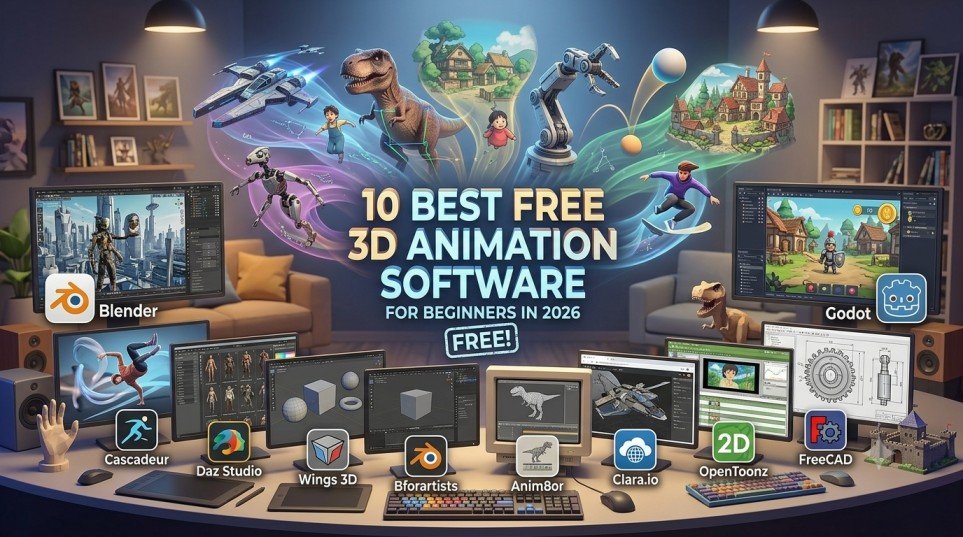
Looking for the best free 3D animation software for beginners? Start with Blender. It is a free, open-source 3D creation suite that combines modeling, rigging, animation, rendering, compositing, simulation, and visual effects in one application.
However, Blender is not the only option.
Depending on what you want to create, Cascadeur may be better for character movement, Daz Studio may be easier for ready-made characters, Clara.io may suit browser-based workflows, and Godot is a better fit if your goal is 3D game development.
Getting started with 3D animation can feel expensive. Professional animated films, game characters, YouTube videos, product animations, and visual effects can make it seem like you need expensive software and a powerful computer before you can create anything.
That is not necessarily true.
There are several free 3D animation and 3D creation programs available for beginners. Some are powerful enough for advanced work, while others are designed around a specific task or a simpler learning experience.
The difficult part is choosing the right one.
Some free programs have complicated interfaces. Others have limited animation capabilities, restricted free plans, or learning curves that can discourage beginners before they complete their first project.
This guide compares 10 free or free-tier options based on their intended use, animation capabilities, modeling tools, rendering workflow, platform availability, ease of learning, and usefulness for beginners.
Important: Not every program in this list is a direct alternative to Blender. OpenToonz is primarily a 2D animation application, FreeCAD focuses on technical 3D modeling, and Godot is a game engine. They are included because they can meet related animation or 3D-creation needs.
Best Free 3D Animation Software: Quick Comparison
| Software | Best For | Mac | Windows | Difficulty | Free? |
|---|---|---|---|---|---|
| Blender | Overall 3D animation | Yes | Yes | Medium–Hard | Yes |
| Cascadeur | Character animation | Yes | Yes | Medium | Free plan |
| Daz Studio | Ready-made characters | Yes | Yes | Medium | Free core software |
| Wings 3D | Basic 3D modeling | Yes | Yes | Easy–Medium | Yes |
| Bforartists | Blender-style workflow | Yes | Yes | Medium | Yes |
| Anim8or | Basic 3D learning | No | Yes | Easy | Yes |
| Clara.io | Browser-based 3D | Yes | Yes | Easy–Medium | Free plan |
| OpenToonz | 2D animation | Yes | Yes | Medium | Yes |
| FreeCAD | Technical 3D modeling | Yes | Yes | Medium | Yes |
| Godot | 3D game development | Yes | Yes | Medium | Yes |
Note: Software features, operating-system support, free-plan limitations, and system requirements can change. Check the developer’s current website before downloading.
What Is the Best Free 3D Animation Software?
Blender is the best overall free 3D animation software for beginners in 2026. It provides a complete 3D workflow that includes modeling, rigging, animation, rendering, compositing, simulation, and visual effects.
The main downside is its learning curve.
If you want to focus specifically on character movement, Cascadeur is a more specialized option. If you want to create scenes with ready-made characters, Daz Studio can reduce the amount of modeling you need to learn. If you prefer working through a browser, Clara.io provides a browser-based alternative.
The best software ultimately depends on what you want to create.
1. Blender — Best Overall Free 3D Animation Software
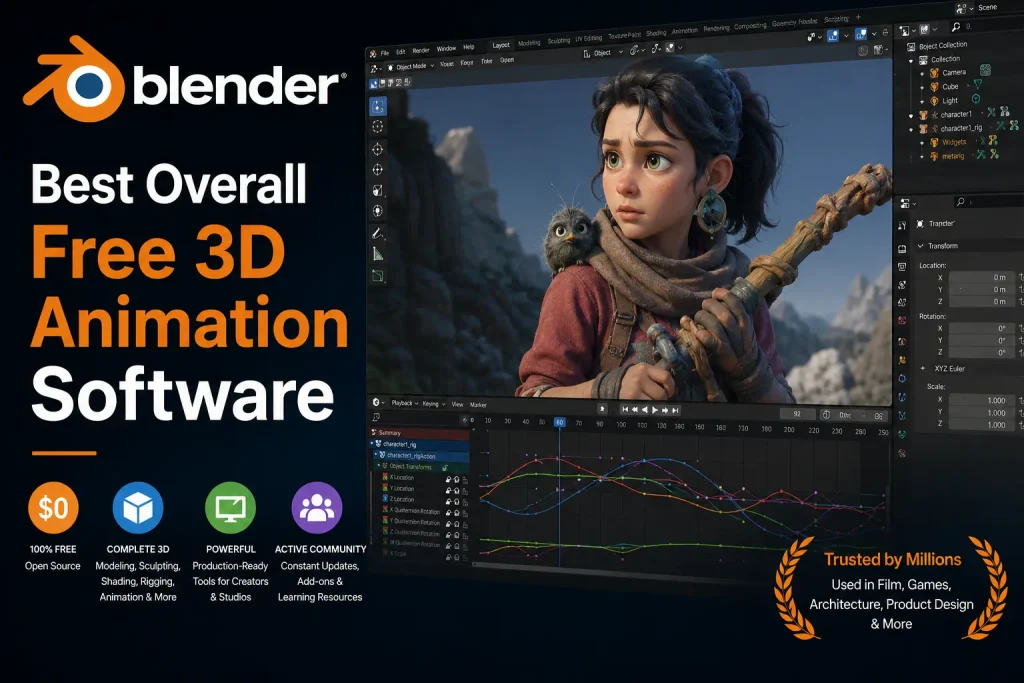
Best for: Beginners who want to seriously learn 3D animation and build a complete 3D workflow.
Blender is the strongest all-around option in this list because it is much more than an animation program.
It is a complete 3D creation suite that covers:
- 3D modeling
- Sculpting
- Rigging
- Animation
- Rendering
- Compositing
- Simulation
- Visual effects
- 2D and 3D workflows
Why Is Blender Good for Beginners?
Blender is free and open source. You are not simply getting a limited trial that becomes unusable when you need more advanced features.
You can use Blender to learn 3D animation, create personal projects, produce YouTube content, make short films, and develop commercial projects.
The biggest drawback is its interface.
When you first open Blender, the number of menus, panels, tools, and settings can feel overwhelming. Concepts such as keyframes, armatures, modifiers, shaders, and inverse kinematics may also be unfamiliar.
That learning curve is real.
However, once you understand the basics, Blender becomes highly flexible.
Blender Pros
- Completely free and open source
- Works on Mac and Windows
- Modeling, rigging, and animation in one application
- Powerful rendering tools
- Supports both 2D and 3D workflows
- Large community and tutorial ecosystem
- Suitable for advanced and professional-level projects
Blender Cons
- Steep learning curve
- Can feel intimidating for absolute beginners
- Complex projects can require capable hardware
Who Should Choose Blender?
Choose Blender if you want to learn 3D animation seriously without paying for the core software.
If you are planning to stay with 3D animation for the long term, learning Blender can be more useful than repeatedly switching between different beginner applications.
Our Recommendation
Give Blender enough time to learn its fundamentals before deciding that it is too difficult.
Also Read- Toonly vs. Doodly: Which Animation Software Is Right for You in 2026?
2. Cascadeur — Best Free 3D Software for Character Animation
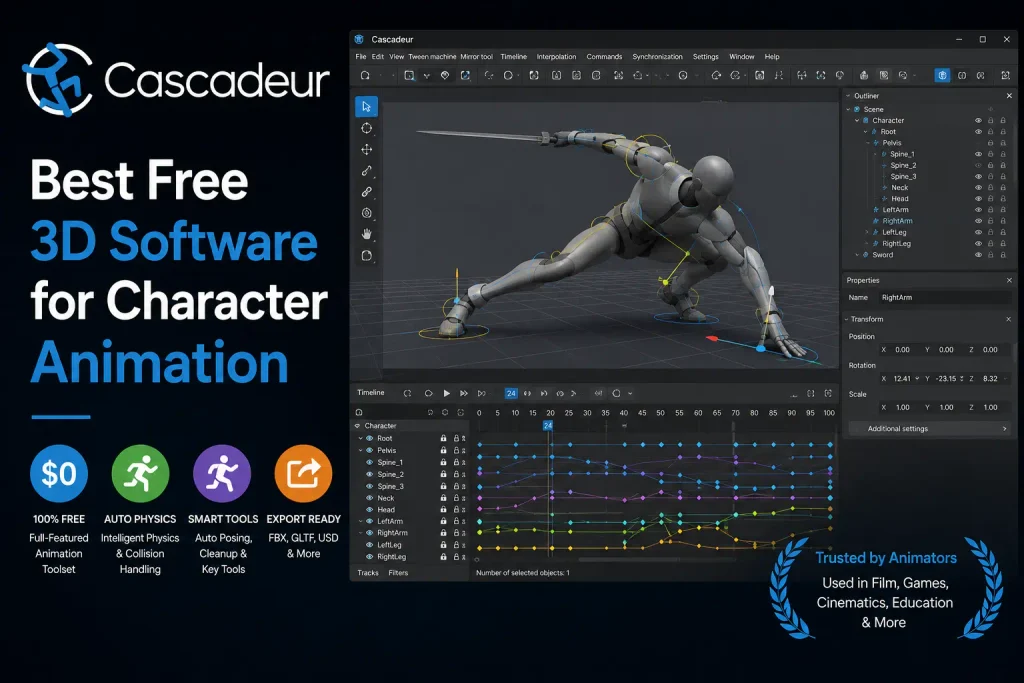
Best for: Character animation, movement, jumps, fights, falls, and people who want to focus on animation rather than the entire 3D pipeline.
Cascadeur takes a more specialized approach than Blender.
Instead of trying to provide every part of a complete 3D production workflow, it focuses heavily on character animation and movement.
Its physics-assisted tools can help animators create believable movements such as jumps, fights, falls, and other dynamic actions.
This makes it particularly interesting for people interested in:
- Game animation
- Character animation
- Film projects
- Short videos
- Movement-focused animation
Why Choose Cascadeur?
The main advantage is specialization.
If your goal is to learn how characters move rather than learn modeling, sculpting, rendering, and every other part of 3D production at the same time, a focused application can be easier to approach.
Its free plan also provides beginners with an opportunity to experiment, although the free version has limitations.
Cascadeur Pros
- Designed specifically around animation
- Physics-assisted animation tools
- Useful for character movement
- Available for Mac and Windows
- Helpful for learning animation principles
Cascadeur Cons
- Not a complete modeling suite
- Free version has limitations
- You may need another program for parts of your workflow
Who Should Choose Cascadeur?
Choose Cascadeur if character movement is your main priority and you want a more specialized animation experience.
If you eventually need a complete modeling, rendering, and production pipeline, you may still need another application.
3. Daz Studio — Best Free 3D Software for Ready-Made Characters
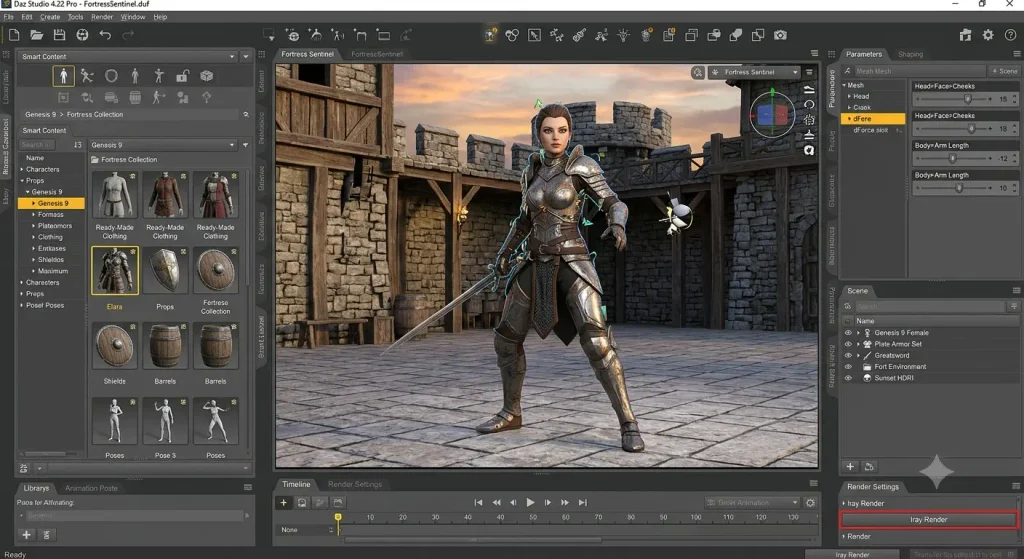
Best for: Beginners who want to create character scenes without modeling everything from scratch.
One thing beginners often overlook is that you do not have to create every character yourself.
Daz Studio lets you work with ready-made 3D characters, poses, environments, and other assets.
That can make the first stage of learning much easier.
Instead of spending weeks learning character modeling before creating your first scene, you can start by working with existing assets.
Why Choose Daz Studio?
Daz Studio can be useful for:
- Character scenes
- Digital storytelling
- Illustrations
- Posing
- Basic animation
- Scene creation
This makes it a practical choice for beginners who are interested in character-based projects but do not want to start with complex modeling.
The core software is free, although additional assets may cost money.
Daz Studio Pros
- Free core software
- Large collection of character assets
- Easy character posing
- Beginner-friendly approach
- Useful for storytelling and scene creation
Daz Studio Cons
- Many premium assets cost money
- Less flexible than Blender for a complete 3D production workflow
- Costs can increase if you purchase many additional assets
Who Should Choose Daz Studio?
Choose Daz Studio if you want to create character-based scenes without becoming an expert character modeler first.
4. Wings 3D — Best Free Software for Learning 3D Modeling
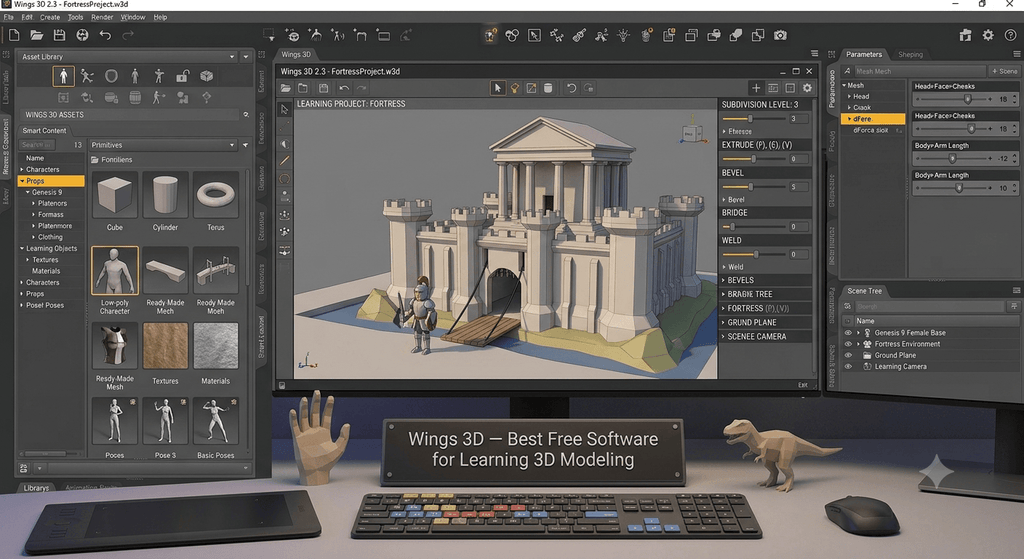
Best for: Beginners who want to understand 3D modeling fundamentals before moving into a larger animation application.
Wings 3D is not a complete professional animation studio.
Instead, it focuses primarily on 3D modeling.
That simplicity is part of its appeal.
If you have never worked with 3D before, learning concepts such as vertices, edges, faces, and basic object creation can provide a useful foundation before moving into a larger application.
Is Wings 3D Good for Animation?
Wings 3D is better viewed as a 3D modeling learning tool than a complete animation solution.
Its animation capabilities are limited compared with a full 3D application such as Blender.
Wings 3D Pros
- Free and open source
- Lightweight
- Relatively simple interface
- Good for learning 3D modeling
- Available for Mac and Windows
Wings 3D Cons
- Limited animation capabilities
- Not a complete 3D production environment
- Advanced animation may require another application
Who Should Choose Wings 3D?
Choose Wings 3D if you want to learn basic 3D modeling before moving into full animation.
5. Bforartists — Best Beginner-Friendly Blender Alternative
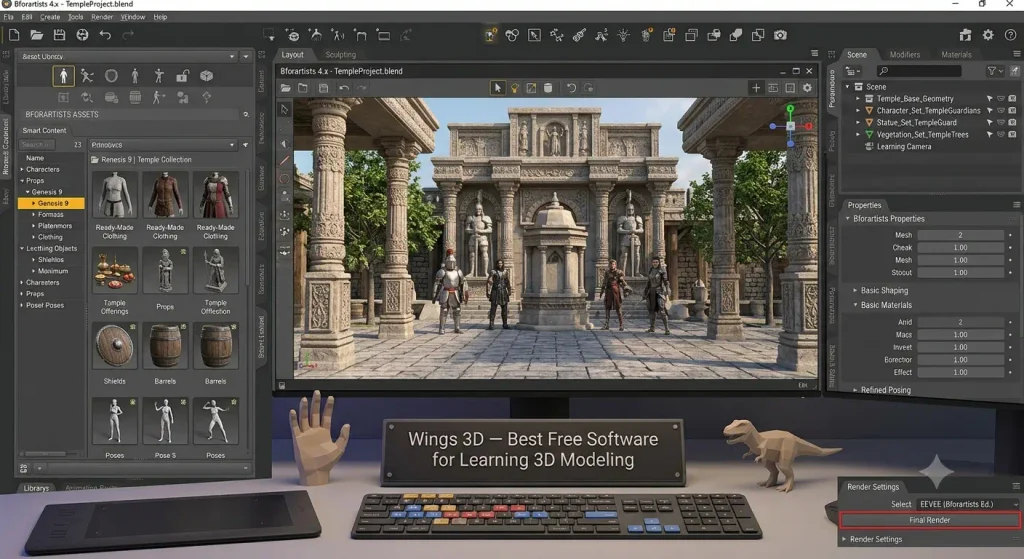
Best for: Beginners who want a Blender-style workflow but prefer a different interface and organization.
Bforartists is based around Blender and aims to make the 3D workflow more accessible through changes to the interface and organization.
If you like Blender’s capabilities but find its default interface difficult to understand, Bforartists may be worth exploring.
You still need to learn 3D concepts, but the different organization can make the workflow more approachable for some users.
Why Choose Bforartists?
The main reason to consider Bforartists is familiarity with the broader Blender approach combined with a different interface philosophy.
It can be interesting for users searching for easier 3D animation software without moving completely away from Blender-oriented concepts.
However, Blender has a much larger ecosystem, so finding tutorials specifically created for Bforartists may sometimes be more difficult.
Bforartists Pros
- Free to use
- Designed with usability in mind
- Powerful 3D workflow
- Blender-oriented approach
- Supports modeling and animation
Bforartists Cons
- Smaller community than Blender
- Some tutorials may not match exactly
- Still requires learning 3D concepts
Who Should Choose Bforartists?
Choose Bforartists if you want Blender-style capabilities with a different interface and organization.
Also Read – Best Animation Software for Beginners: Free & Easy Tools
6. Anim8or — Best Lightweight Free 3D Animation Software
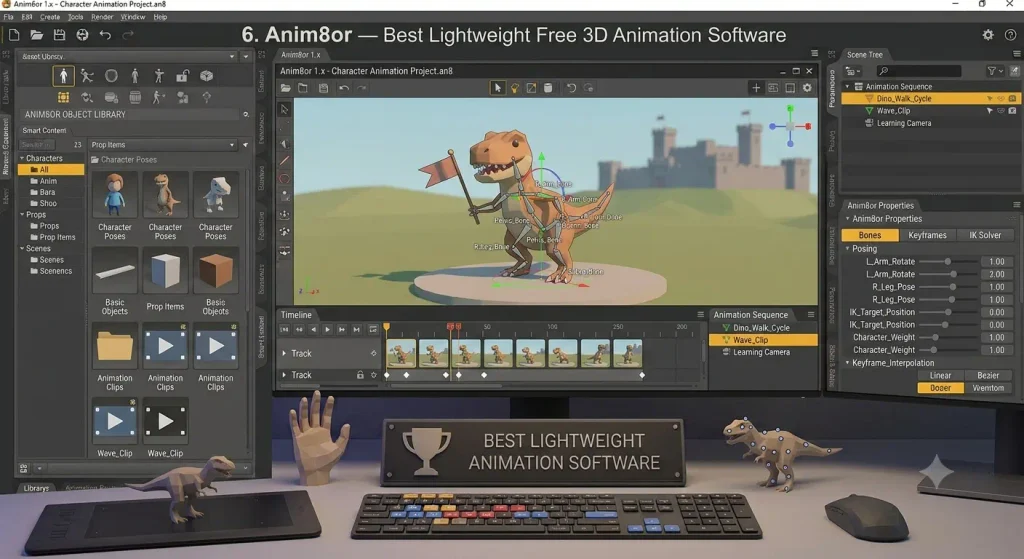
Best for: Beginners with basic hardware who want to experiment with fundamental 3D concepts.
Anim8or is an older 3D graphics application, but its simplicity can still make it useful for learning.
It was designed to make 3D modeling and animation accessible without requiring the type of hardware associated with larger 3D applications.
It does not offer the modern feature set of Blender, but that is not necessarily its purpose.
For someone with an older Windows computer who simply wants to experiment with basic 3D, Anim8or can be worth considering.
Anim8or Pros
- Free to use
- Lightweight
- Simple compared with large 3D suites
- Useful for learning fundamentals
Anim8or Cons
- Windows-focused
- Older interface
- Limited compared with modern 3D software
- Not ideal for professional production
Who Should Choose Anim8or?
Choose Anim8or if you have basic Windows hardware and want a lightweight way to experiment with 3D concepts.
7. Clara.io — Best Free Browser-Based 3D Animation Software
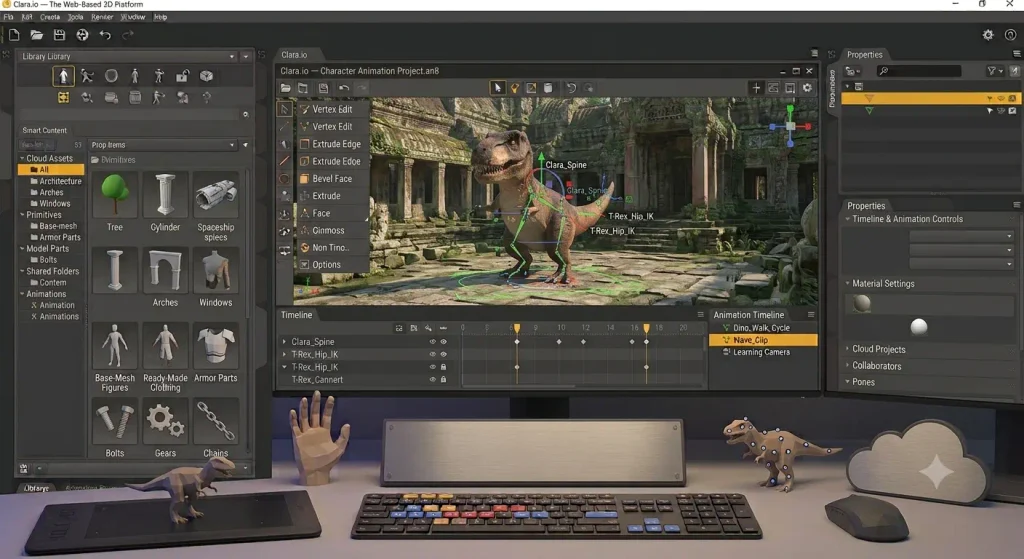
Best for: Students, beginners, and users who want to experiment with 3D through a browser.
Do not want to install a large desktop application?
Clara.io takes a different approach.
It is a browser-based 3D modeling and animation platform, allowing users to work through a supported browser rather than relying on a traditional desktop installation.
For beginners, this can be convenient.
You can experiment with modeling, animation, and rendering without immediately committing to a large local installation.
What Are the Advantages of Browser-Based 3D Software?
Browser-based software can be useful when:
- You work on multiple computers
- You do not want a large installation
- You want to experiment before committing to desktop software
- You prefer a browser-based workflow
The downside is that browser-based applications depend more heavily on internet access and may not provide the same capabilities as full desktop software.
Clara.io Pros
- Browser-based
- No large desktop installation required
- Accessible from different computers
- Provides 3D modeling and animation tools
- Beginner-friendly compared with some professional applications
Clara.io Cons
- Internet access is important
- Free plan has limitations
- Less powerful than some full desktop applications
Who Should Choose Clara.io?
Choose Clara.io if you want accessible, browser-based 3D animation and modeling.
8. OpenToonz — Best Free 2D Animation Alternative
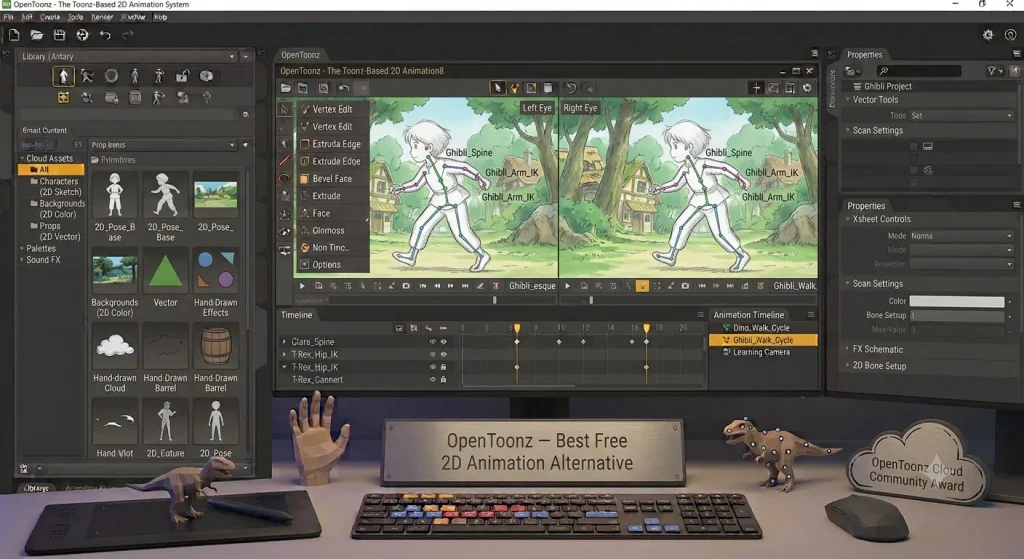
Best for: Beginners who are deciding between 2D and 3D animation.
There is an important distinction to make here:
OpenToonz is primarily a 2D animation application, not a 3D animation program.
So why include it in a guide about free 3D animation software?
Some beginners search for “free 3D animation software” when they are actually looking for free animation software in general.
If you discover that traditional 2D animation is more interesting to you than 3D, OpenToonz can be an alternative worth exploring.
When Should You Choose OpenToonz?
OpenToonz may make sense if you want to learn:
- Traditional animation
- 2D animation
- Drawing-based animation
- Animation fundamentals
It should not be your first choice if your specific goal is 3D modeling or 3D character animation.
OpenToonz Pros
- Free and open source
- Powerful 2D animation tools
- Good for traditional animation
- Available for Mac and Windows
OpenToonz Cons
- Not a 3D animation application
- Can take time to learn
- Interface may be challenging for beginners
Who Should Choose OpenToonz?
Choose OpenToonz if you are more interested in 2D animation than 3D animation.
9. FreeCAD — Best Free Software for Technical 3D Modeling
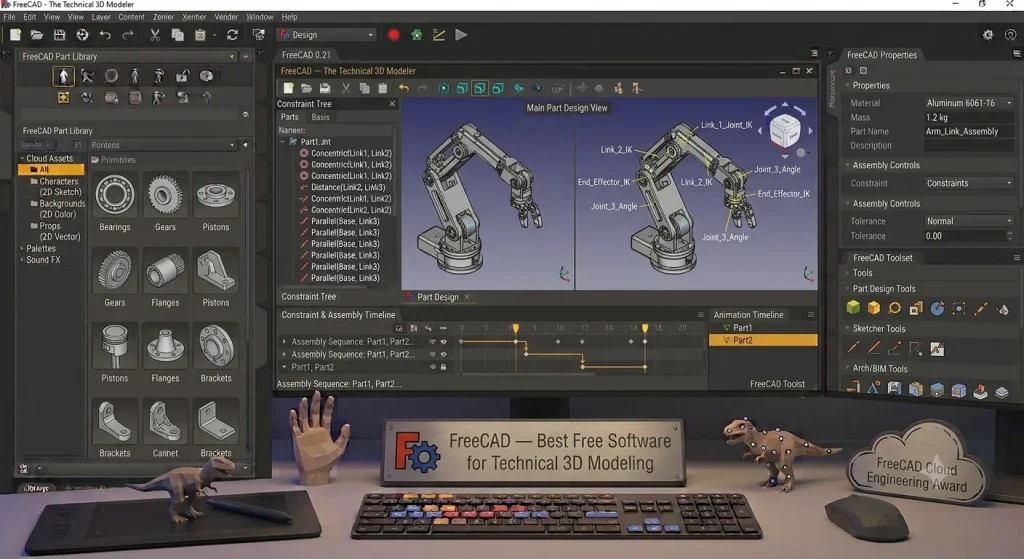
Best for: Engineering students, product designers, architects, and technical visualization.
FreeCAD is not primarily a character animation program.
It is a parametric 3D modeling application designed around technical uses such as:
- Engineering
- Architecture
- Product design
- Mechanical design
- Technical visualization
Why Might an Aspiring Animator Use FreeCAD?
Because 3D animation is not always about characters.
You might want to create or visualize:
- A machine
- A product
- A building
- A mechanical object
- A technical demonstration
For those projects, technical 3D modeling can be more relevant than traditional character-animation software.
FreeCAD Pros
- Free and open source
- Powerful technical modeling
- Available for Mac and Windows
- Useful for engineering and product design
FreeCAD Cons
- Not designed for character animation
- Can have a steep learning curve
- Animation is not its primary purpose
Who Should Choose FreeCAD?
Choose FreeCAD if your project involves technical 3D modeling, engineering, architecture, or product design.
10. Godot — Best Free 3D Software for Game Development
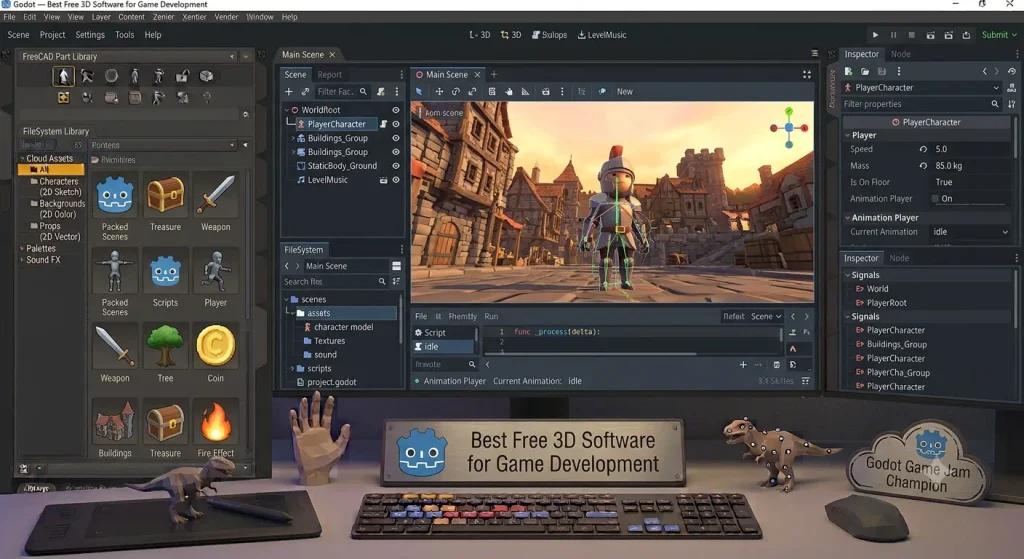
Best for: Beginners who want to combine 3D animation with game development.
If your ultimate goal is game development, do not overlook Godot.
Godot is a free, open-source game engine with both 2D and 3D capabilities.
It is different from traditional animation software because its primary purpose is interactive game and application development.
However, you can use it to create:
- 3D environments
- Characters
- Animations
- Gameplay systems
- Interactive experiences
Why Choose Godot?
A game engine allows you to combine animation with gameplay and interactive systems.
That makes it useful when your final goal is not simply a rendered animation but an interactive 3D experience.
The trade-off is that you will also need to learn game-development concepts.
Godot Pros
- Free and open source
- Excellent for game development
- Supports 2D and 3D
- Available for Mac and Windows
- Active community
Godot Cons
- Not a traditional animation package
- Requires learning game-development concepts
- Modeling may require another application
Who Should Choose Godot?
Choose Godot if your animation goal is closely connected to 3D game development.
Which Free 3D Animation Software Should You Pick?
The best software depends on what you want to create.
| Your Goal | Best Choice | Why |
|---|---|---|
| Learn 3D animation seriously | Blender | Complete 3D workflow |
| Character movement | Cascadeur | Focused character animation |
| Ready-made characters | Daz Studio | Reduces the need for modeling |
| Learn basic modeling | Wings 3D | Simple modeling-focused workflow |
| Easier Blender-style workflow | Bforartists | Different interface and organization |
| Older or less powerful PC | Anim8or | Lightweight learning option |
| Browser-based 3D | Clara.io | Browser-based workflow |
| Learn 2D animation | OpenToonz | Dedicated 2D animation |
| Engineering/product design | FreeCAD | Technical 3D modeling |
| 3D games | Godot | 3D game-development environment |
What Is the Best Overall Free 3D Animation Software?
If you want one answer, Blender is still the strongest all-around recommendation.
It provides enough functionality for beginners to learn the fundamentals while also giving them room to progress into more advanced 3D work.
What Is the Easiest 3D Animation Software for Beginners?
That answer depends on your goal.
A browser-based application such as Clara.io may feel less intimidating because there is less setup.
Cascadeur may be more approachable if your only interest is character movement.
Daz Studio can simplify character creation by providing ready-made assets.
So do not automatically equate “best” with “easiest.”
What Makes Good 3D Animation Software for Beginners?
Beginners do not need hundreds of features.
They need software that helps them understand the fundamentals without constantly fighting the interface.
Features to Look For
- A clear timeline
- Keyframe controls
- Basic modeling tools
- Camera controls
- Character rigging support
- Rendering capabilities
- Good tutorials
- An active community
- Mac or Windows compatibility
- Reasonable hardware requirements
- A workflow that matches your goals
The best beginner software should help you understand fundamental concepts such as keyframes, timing, spacing, interpolation, lighting, cameras, movement, rigging, and rendering.
Once you understand these principles, moving between different software programs becomes much easier.
Free vs. Paid 3D Animation Software
A common question is: Why pay for animation software when so many free tools exist?
The answer is usually workflow.
Paid programs can provide specialized tools, professional support, integrated pipelines, and features designed to save experienced artists time.
But those advantages are not always necessary when you are learning the fundamentals.
| Feature | Free Software | Paid Software |
|---|---|---|
| Basic modeling | Usually available | Yes |
| Basic animation | Usually available | Yes |
| Rendering | Usually available | Yes |
| Professional workflows | Depends on software | Often stronger |
| Support | Often community-based | Often professional |
| Cost | Free or limited free tier | Subscription or license |
| Beginner learning | Often sufficient | Can sometimes be overkill |
Should Beginners Start With Free 3D Animation Software?
For most beginners, yes.
Learn the fundamentals first.
Then, once you know exactly what is missing from your current workflow, you can decide whether paid software is worth the cost.
This approach is often more practical than paying for a professional application before you know how you will use it.
Can You Really Make 3D Animations for Free?
Yes. You can learn and create 3D animations without paying for the core software.
For example, Blender can be used to create models, rig characters, animate scenes, add lighting, render projects, and export finished work without purchasing the application.
That is one of the biggest reasons Blender remains such a strong recommendation.
However, free software does not mean every part of your production will be free.
You may still pay for:
- Character models
- Textures
- Plugins
- Stock music
- Sound effects
- Cloud rendering
- Premium tutorials
- Other third-party assets
The software can be free while the overall production still has costs.
What Computer Do You Need for 3D Animation?
You do not necessarily need a $3,000 workstation to start learning 3D animation.
For basic modeling and animation, a reasonably modern Mac or Windows computer with a capable processor, 16GB of RAM, and a suitable GPU can provide a better starting experience than an entry-level computer.
However, hardware requirements increase as projects become more complex.
You may need more powerful hardware for:
- Large 3D scenes
- High-resolution rendering
- Complex simulations
- Large textures
- Advanced visual effects
- Long or high-resolution animations
Storage is also important.
3D models, textures, project files, rendered videos, and other assets can consume storage surprisingly quickly.
Should You Upgrade Your Computer or Buy Expensive Animation Software?
If your computer struggles to handle basic 3D work, improving your hardware may be more useful than spending money on expensive animation software.
The software cannot compensate for hardware that is unable to handle your intended workload.
Are Free 3D Animation Programs Safe to Download?
Download free animation software directly from the developer’s official website whenever possible.
This is especially important when searching for terms such as:
- “3D free animation software download”
- “free download 3D animation software”
- “3D graphics animation software free download”
- “3D computer animation software free download”
Random third-party download websites may provide outdated installers, modified files, or unwanted bundled software.
Instead:
- Find the official developer website.
- Confirm that the software supports your operating system.
- Check the current system requirements.
- Download the current version from the official source.
- Review licensing and free-plan limitations.
Free should mean that the software does not require a purchase for its stated free version—not that you should ignore download safety.
Tips for Beginners Starting 3D Animation
The biggest mistake beginners make is trying to learn everything at once.
You do not need to understand modeling, sculpting, rigging, rendering, simulations, compositing, and visual effects on your first day.
Start small.
1. Animate a Bouncing Ball
A bouncing ball teaches fundamental animation principles such as:
- Timing
- Spacing
- Gravity
- Keyframes
- Interpolation
- Movement
- Squash and stretch
It may seem simple, but it is an excellent beginner exercise.
2. Animate a Simple Object
Next, try moving an object across the scene.
This gives you experience with:
- Keyframes
- Timing
- Cameras
- Basic scene organization
3. Try a Character Walk
Once basic movement makes sense, try a simple character walk cycle.
This introduces you to more advanced concepts such as:
- Rigging
- Posing
- Weight
- Balance
- Timing
4. Build a Small Scene
Add a camera, lighting, materials, and a background.
You do not need a complicated project.
The goal is to understand how the different elements work together.
5. Use Ready-Made Models
There is no reason to model everything yourself while learning animation.
Using ready-made models can allow you to spend more time learning animation rather than spending weeks modeling an object before creating your first animated scene.
Best Free 3D Animation Software for Different Users
Best for Complete Beginners
Blender is the best long-term option if you want to understand a complete 3D workflow.
The learning curve is higher, but you will not quickly outgrow the software.
Best for Character Animation
Cascadeur is the better choice if character movement is your main focus.
Best for Ready-Made Characters
Daz Studio is useful when you want to create scenes without modeling every character yourself.
Best for Older Computers
Anim8or is a lightweight option for users with basic Windows hardware.
Best for Browser-Based 3D
Clara.io is useful if you want to work through a browser instead of installing a large desktop application.
Best for Blender-Style Workflow
Bforartists is worth considering if you want a Blender-oriented workflow but prefer a different interface.
Best for 3D Modeling Basics
Wings 3D can help beginners learn modeling fundamentals before moving into a complete animation pipeline.
Best for 3D Games
Godot is the strongest choice in this list when your ultimate goal is an interactive 3D game.
Best for Technical 3D
FreeCAD is better suited to engineering, product design, and technical 3D work.
Best for 2D Animation
OpenToonz is the relevant option if you discover that you are more interested in 2D animation.
Also Read – Best Stop Motion Animation Software for Mac & Windows in 2026
Frequently Asked Questions About Free 3D Animation Software
What Is the Best Free 3D Animation Software for Beginners?
Blender is the best overall free 3D animation software for beginners. It combines modeling, rigging, animation, rendering, compositing, and other 3D tools in one application.
Its main disadvantage is its learning curve.
Is Blender Completely Free?
Blender is presented in this guide as a free, open-source 3D creation application. The core application does not require a conventional paid subscription to use.
Is Blender Good for Beginners?
Yes, but Blender is not the easiest 3D application to learn.
Its large number of tools can make the interface intimidating at first.
The advantage is that you can continue using Blender as your skills improve instead of needing to move to a more advanced application later.
What Is the Easiest Free 3D Animation Software?
There is no universal answer.
The easiest choice depends on what you want to do.
- Character animation: Cascadeur
- Ready-made characters: Daz Studio
- Browser-based 3D: Clara.io
- Basic modeling: Wings 3D
- Complete 3D workflow: Blender
Can I Animate 3D Characters for Free?
Yes.
Free software can be used to learn and create 3D character animation.
Blender provides a broad 3D workflow, while Cascadeur focuses more specifically on character movement. Daz Studio can also help beginners work with ready-made characters.
What Is the Best Free 3D Animation Software for Mac?
Blender is the strongest overall recommendation for Mac users in this guide.
Cascadeur, Daz Studio, Wings 3D, Bforartists, Clara.io, OpenToonz, FreeCAD, and Godot are also listed as Mac-compatible options in the comparison.
Always check the current developer documentation because platform support can change.
What Is the Best Free 3D Animation Software for Windows?
Blender is the best overall choice for Windows users who want a complete 3D workflow.
Anim8or can be considered if you have older Windows hardware and only need basic 3D experimentation.
Can I Make Professional 3D Animation With Free Software?
Yes, free software can support advanced and professional-level work.
However, professional production may still involve costs for hardware, assets, plugins, music, sound effects, rendering, and other services.
Is Free 3D Animation Software Safe?
It can be, but download it from the developer’s official website or another trusted source.
Avoid random download websites that provide modified installers or bundled software.
Do I Need a Powerful Computer for 3D Animation?
Not necessarily.
Basic 3D modeling and animation can be learned on a reasonably capable computer.
Complex scenes, simulations, and high-resolution rendering can require significantly more processing power, memory, graphics performance, and storage.
Should I Learn Blender or Another 3D Animation Program First?
If you want broad 3D skills, start with Blender.
If your goal is very specific, a specialized program may make more sense.
For example:
- Character movement: Cascadeur
- Ready-made characters: Daz Studio
- Browser-based 3D: Clara.io
- Game development: Godot
- Technical modeling: FreeCAD
Our Final Picks for the Best Free 3D Animation Software
After comparing the available options according to different beginner goals, these are our strongest picks:
| Category | Pick | Best Reason |
|---|---|---|
| Best Overall | Blender | Complete free 3D workflow |
| Best for Character Animation | Cascadeur | Focuses on character movement |
| Best for Ready-Made Characters | Daz Studio | Reduces the need for character modeling |
| Best Lightweight Option | Anim8or | Simple and lightweight |
| Best Browser Option | Clara.io | Browser-based workflow |
| Best for 3D Games | Godot | Built around game development |
| Best for Technical 3D | FreeCAD | Engineering and product design |
| Best for 2D Animation | OpenToonz | Dedicated 2D animation workflow |
Final Verdict: What Is the Best Free 3D Animation Software for Beginners in 2026?
Blender is the best overall free 3D animation software for beginners in 2026.
It offers the broadest combination of modeling, rigging, animation, rendering, compositing, simulation, and visual-effects capabilities among the options covered in this guide.
But the best software is not necessarily the easiest software.
If you are completely new to 3D and Blender feels overwhelming, choose a program that matches your specific goal.
Choose Blender If:
You want to learn the complete 3D workflow and potentially progress from beginner projects to advanced animation.
Choose Cascadeur If:
Your main interest is character movement and animation.
Choose Daz Studio If:
You want to create character scenes using ready-made characters and assets.
Choose Anim8or If:
You have basic Windows hardware and want a lightweight introduction to 3D.
Choose Clara.io If:
You prefer a browser-based 3D workflow.
Choose Bforartists If:
You want a Blender-oriented workflow with a different interface and organization.
Choose Wings 3D If:
Your first priority is learning fundamental 3D modeling.
Choose Godot If:
Your ultimate goal is 3D game development.
Choose FreeCAD If:
Your work involves engineering, product design, architecture, or technical 3D modeling.
Choose OpenToonz If:
You discover that 2D animation is more suitable for your creative goals.
If you are still uncertain, start with Blender and give yourself enough time to learn the basics.
Do not judge the software after one hour.
The first few hours of 3D animation can feel confusing. Once you understand the viewport, objects, timeline, keyframes, cameras, and basic navigation, the workflow becomes much easier to understand.
You do not need the perfect 3D animation software on your first day.
You need a tool that lets you start learning.
For most beginners who want a free, flexible, long-term 3D workflow, Blender remains one of the strongest places to start.
How We Evaluated the Free 3D Animation Software
We evaluated the software covered in this guide according to the criteria used throughout the comparison:
- Beginner-friendliness
- Animation capabilities
- 3D modeling capabilities
- Character animation
- Rendering
- Ease of learning
- Platform compatibility
- Free or free-tier availability
- Hardware requirements
- Community and learning resources
- Intended use case
The software is not treated as a group of identical competitors. Some applications are included because they solve specific problems that beginners commonly encounter when searching for free animation or 3D software.
Last reviewed: October 2026
Important: Software features, pricing, free-plan restrictions, system requirements, and operating-system support can change. Verify current information on the developer’s official website before downloading or purchasing software, assets, plugins, or services.